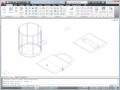
1) Draw fullscale in modelspace
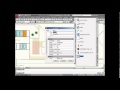
2) Use the VIEWPORTS command to bring the drawing into the titleblock set up in the layout in Paperspace
3) Select the outline of the viewport – select and assign the appropriate scale
2) Use the VIEWPORTS command to bring the drawing into the titleblock set up in the layout in Paperspace
3) Select the outline of the viewport – select and assign the appropriate scale
Source: Autodesk